
Note: This applies to customers using the Abode booking engine only. If you are using Abode's booking engine through other suppliers, please contact them directly.
If you want to show only certain information, or set some parameters as default — such as the start date customers can book from, or the total number of nights the booking engine shows — you can use URL parameters.
1. Navigate to Settings > Website > Website

2. Choose Tab 'Link', you see the 'URL Parameters' section. This section displays the different URL parameters you can use.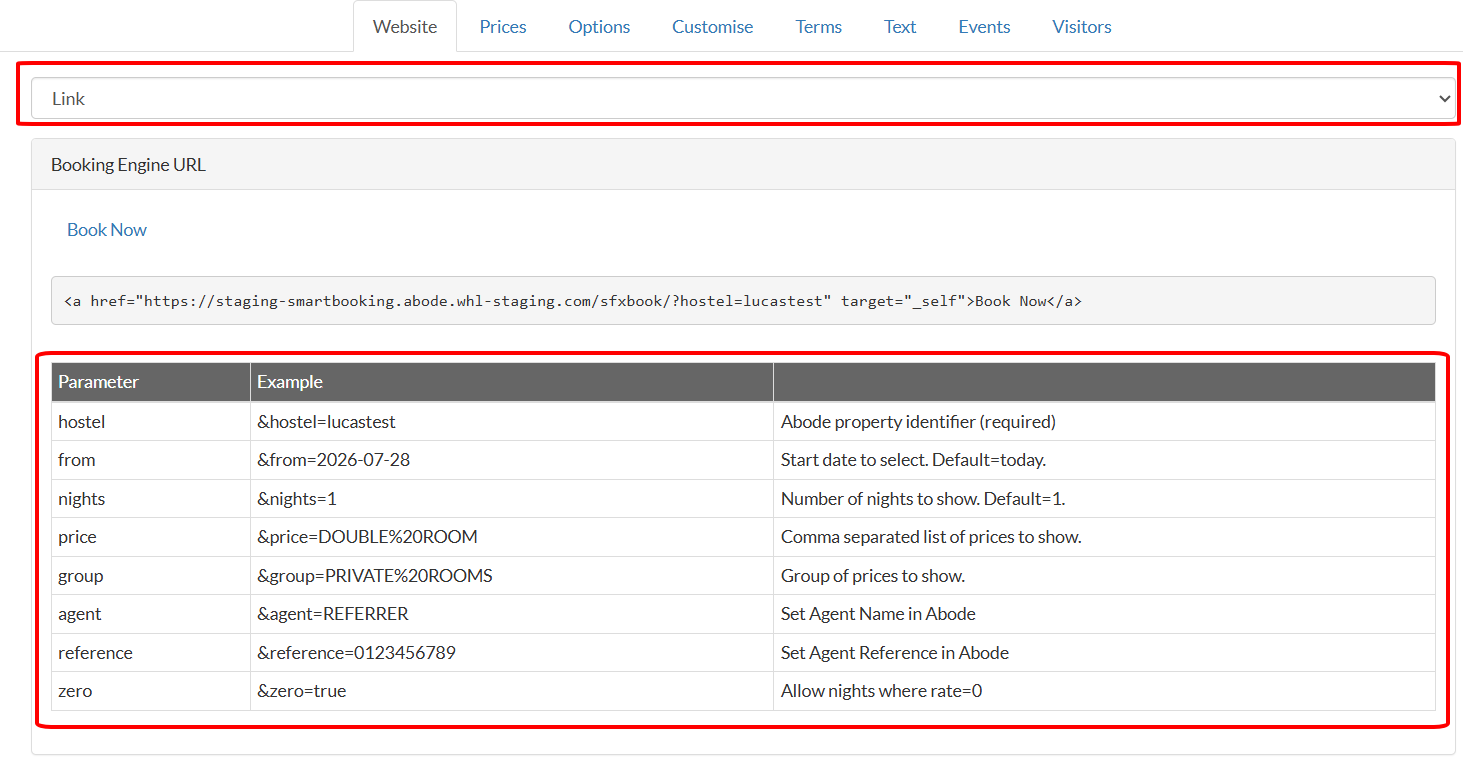
For example, if you would like to keep the booking engine within the iframe instead of being opened in a new browser window/tab, use the &target=_self parameter. To only show certain room types, use the "prices" of the room types. If you would like to show multiple room types, separate them with a comma.
In the example below, the hostel uses the &target=_self parameter and shows 3 different styles of rooms in the calendar.
<iframe id="abodebooking" src="https://smartbooking.co.nz/sfxbook/step_search.php?hostel=demoabode&target=_self&price=4beddorm,6beddorm,8beddorm" style="min-width:100%;border-width:0px;"></iframe>