There are 3 different ways to make a group booking. We will go through these 3 ways together in this FAQ.
Method 1
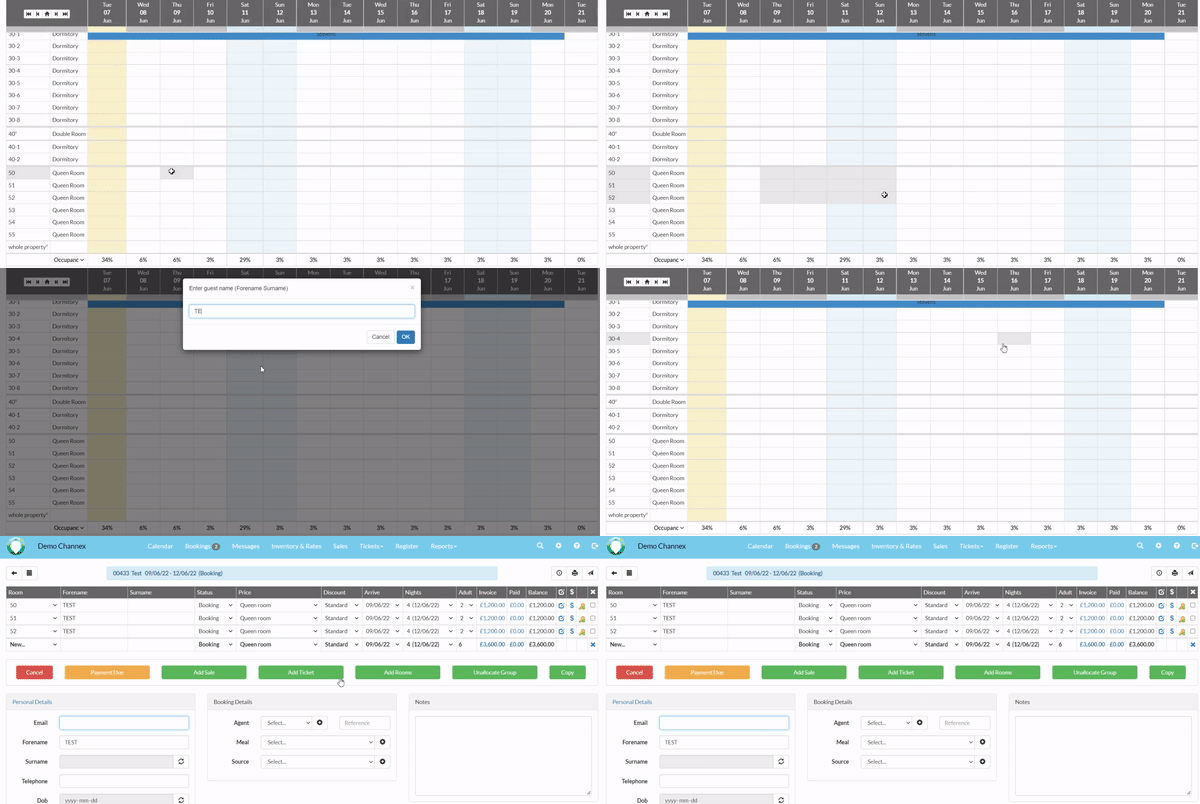
- Select and drag the room/rooms you would like to book.
- Drag cursor to end date.
- Enter Surname.
Method 2
- Select a room and date on the Calendar.
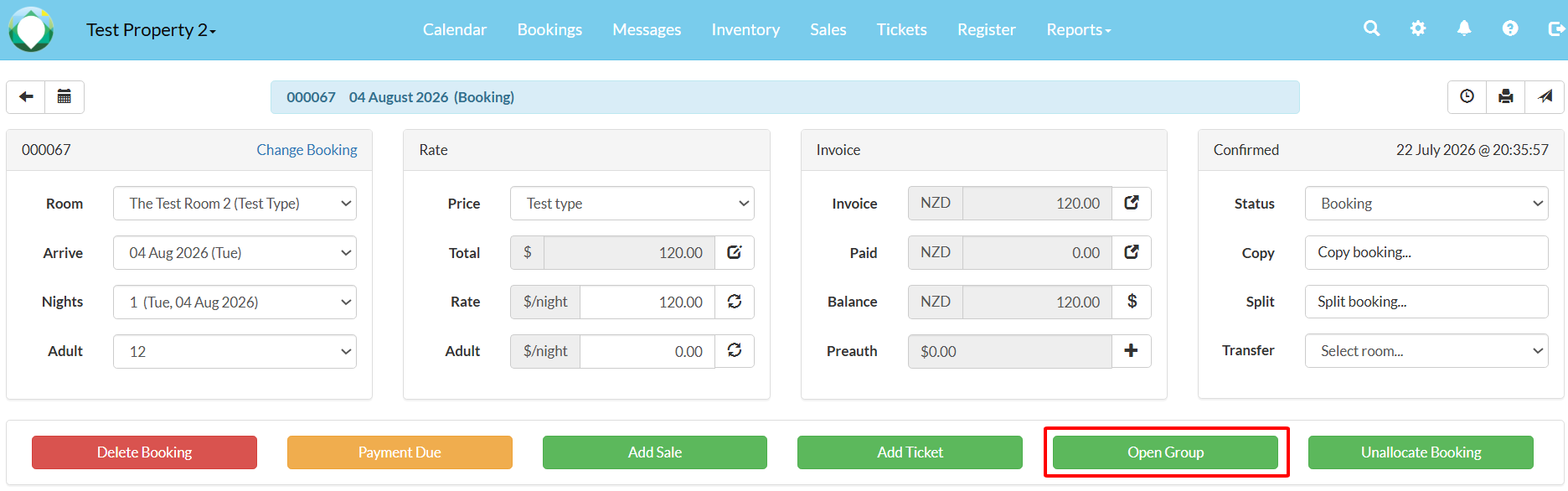
- Select Open Group.
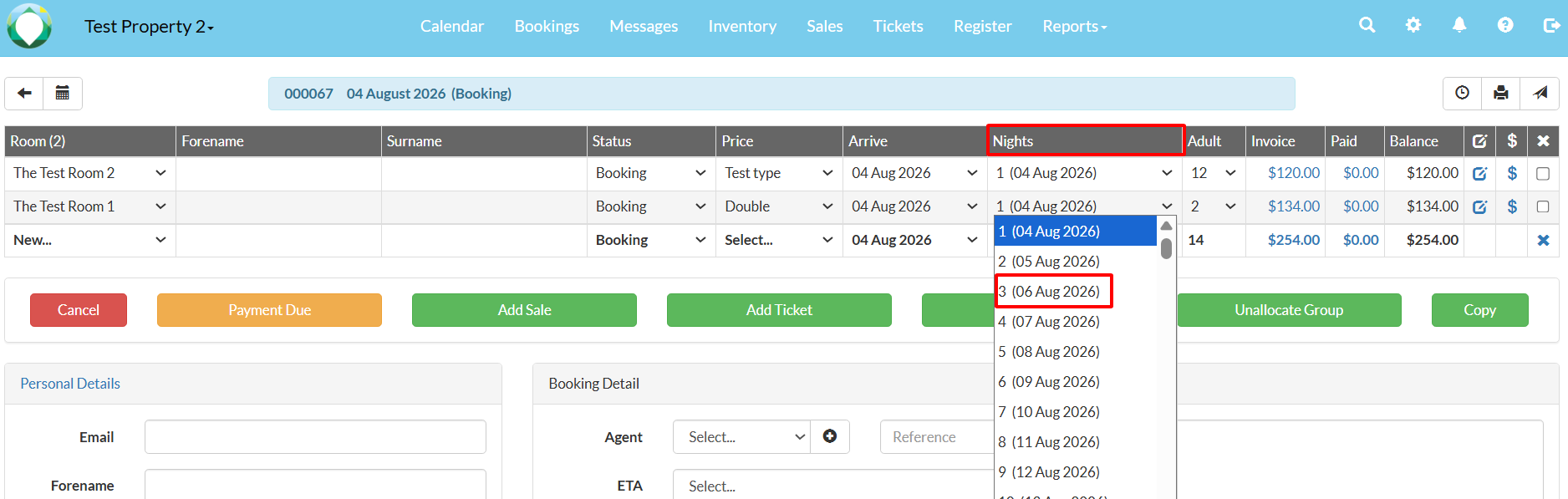
- Select NEW and add the additional rooms.
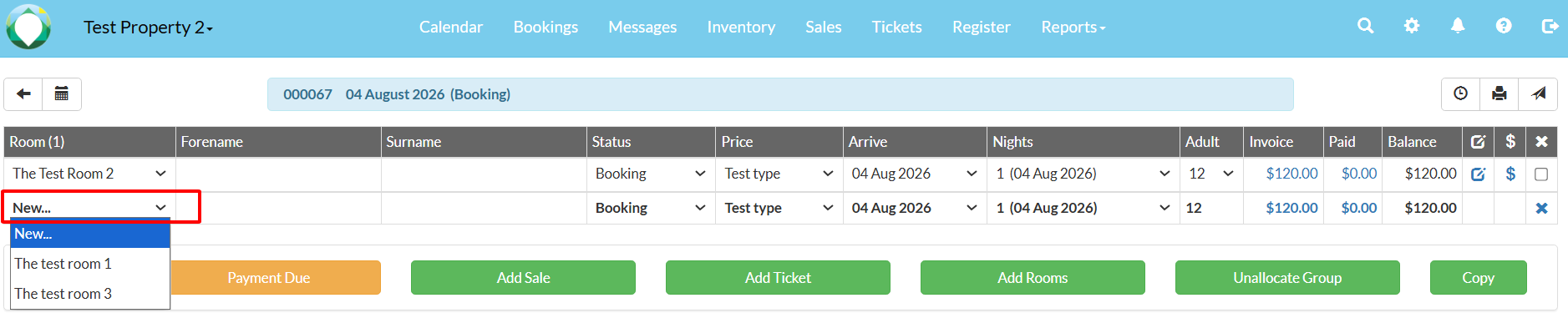
- Adjust number of nights accordingly using the drop down.
Method 3
- Select a room and date on the Calendar.
- Select Open Group.
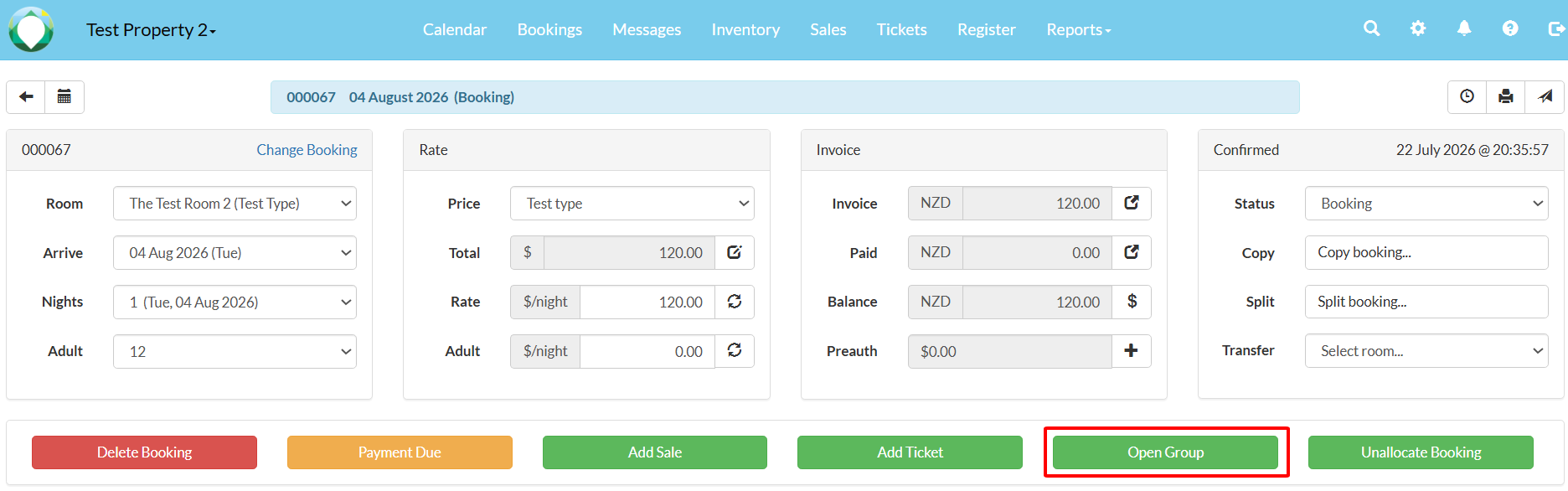
- Select Add Rooms.

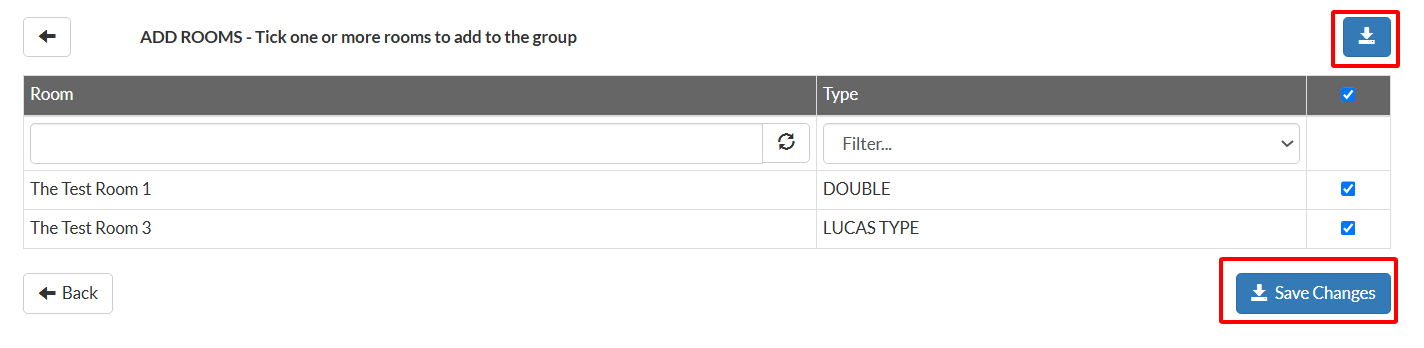
- You can search by Room (1), filter by Type (2), select all in the list (3), select individually (4), and once complete save changes (5).
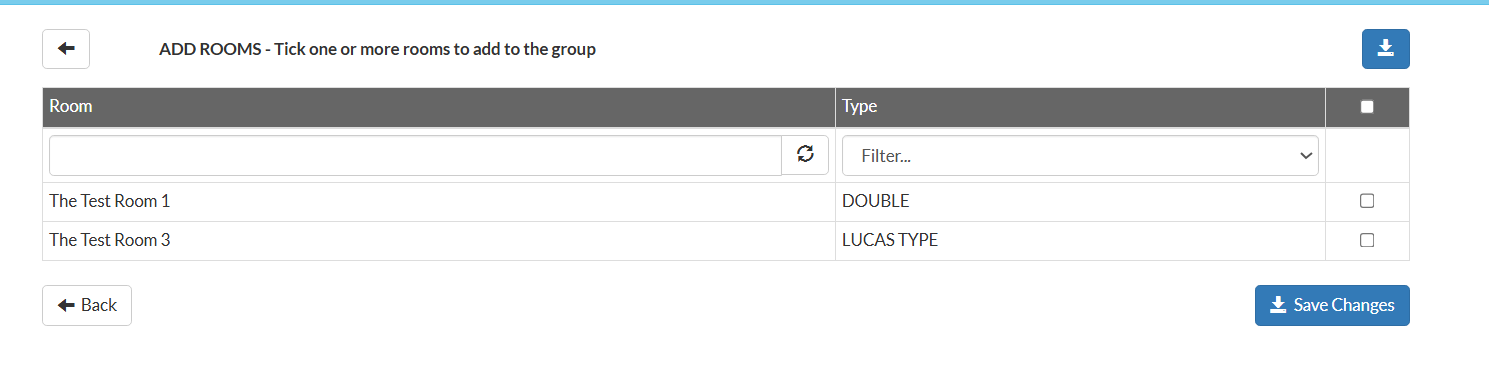
- Select Save Changes.